
How to Verify Your Business Without a Physical Office
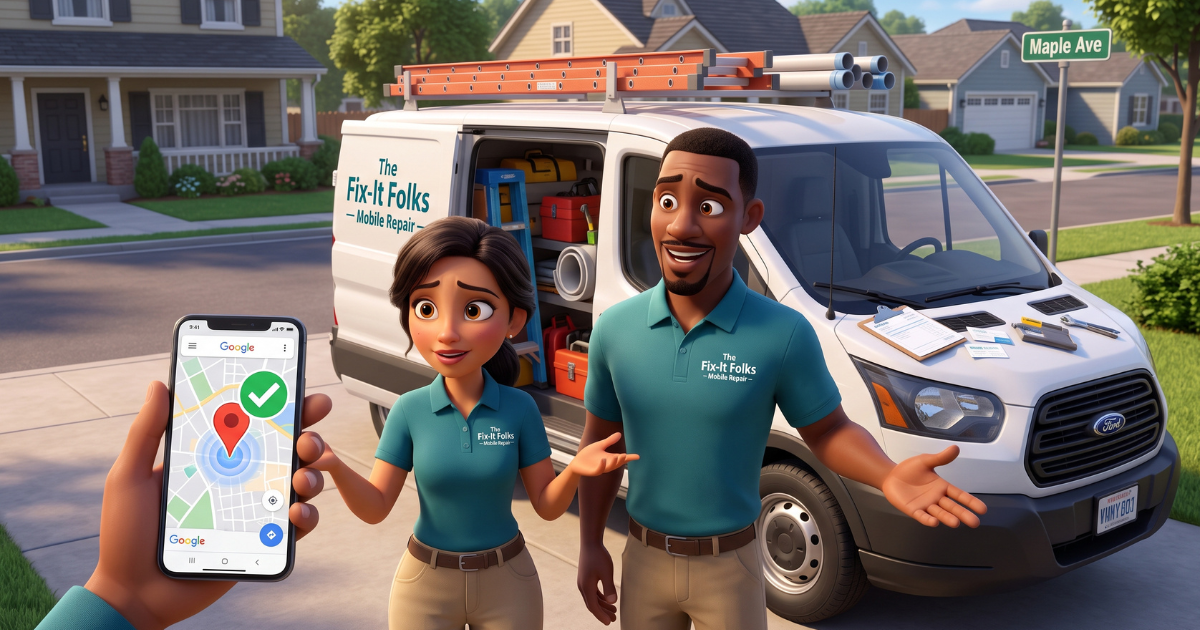
Here's how to verify your business without a physical office: set up your Google Business Profile as a Service-Area Business (SAB) and complete Google's video verification. Instead of proving you have a storefront, you're proving your business is real, active, and managed by you, using your vehicle, tools, paperwork, and service area as evidence. This is the path we've walked dozens of home-based and mobile businesses through, including realtors, HVAC techs, electricians, landscapers, photographers, and consultants. It works even when there's no commercial building, signage, or showroom involved.
Maybe you run a business where you travel to your customers: plumbing, HVAC, electrical, landscaping, mobile detailing, or consulting. If so, one question comes up constantly. "Google is asking for a video verification, but I work out of my home or vehicle. How do I prove my business exists if I don't have a retail storefront or physical building signage?"
The short answer: you don't need a commercial storefront to get verified. When recording a verification video for a Service-Area Business, the goal isn't to show a showroom. It's simply to prove that your business is legitimate, operates within your stated territory, and is managed by you.
How to Verify Your Business Without a Physical Office: Why It's Different
Google's traditional verification methods (postcard, phone, or email) were built with the assumption that every business has a fixed, public-facing address. Home-based and mobile businesses don't fit that mold. Trying to force it usually leads to one of two outcomes we see constantly. Owners wait weeks for a postcard that may never confirm anything useful. Or they get stuck in a verification loop because Google can't match a residential address to a public business listing.
Video verification exists specifically to solve this. It shifts the burden of proof from "where is your building" to "can you show us your business is real." For service-area businesses, that's a much more achievable bar. But it only works if you know what Google's reviewers are actually looking for.
The 3-Step Video Verification Blueprint for Service-Area Businesses
Plan a continuous, unedited video covering these three core elements:

Step 1: Establish Your Location
- Capture street crossing signs and local landmarks: Park at a recognizable street intersection or near distinct landmarks within your designated service area.
- Start outside: Show the street signs or intersection to anchor your geographic location within your service territory.
This is where we see the most avoidable rejections happen. Owners skip straight to their vehicle or their tools without ever establishing where they are, and Google has no geographic context to work with.
Step 2: Show Your "Mobile Office" & Equipment (Business Reality)
- Proof of Operations & Branding: Capture your commercial vehicle featuring your business name and contact info (wraps, decals, or magnets). If your vehicle is unbranded, clearly show other proof of identity, such as business cards, branded uniforms, and/or professional equipment.
This step is what convinces Google your business is operational, not just registered on paper. A branded van is the easiest win here, but plenty of businesses we've helped verify (consultants, photographers, smaller contractors) don't have vehicle wraps, and that's fine. Business cards and a uniform do the job just as well.
Step 3: Prove Authorized Management (Proof of Operations)
- Proof of access: Film yourself unlocking the vehicle with your key or fob, opening the door, stepping inside, and starting the ignition.
- Tools of the trade: Open your trunk, bed, or tool storage. Show your specialized equipment (e.g., pipe threaders, pressure washers, diagnostic tools, branded uniforms/t-shirts, or physical business cards).
- Business documentation: Have official paperwork ready on a clipboard or your front seat. Show your business registration, contractor license, insurance certificate, or utility bill matching your legal business name.
- Redacted work invoices: Show an active work order or invoice. (Pro tip: black out or blur any sensitive customer information like client names, phone numbers, or payment details before filming.)
- Software access: Alternatively, show yourself logging into your business management software, dispatch app, or work laptop.
This is the step that trips up the most owners we work with, not because it's complicated, but because it's easy to forget a piece. Missing paperwork or a documentation gap is one of the most common reasons we see a first attempt get sent back.
Insider Tips from GBP Product Experts
- Match details & stage before you record:
Ensure your business name, service area, phone number, and category in GBP match your physical branding, licenses, and invoices. Have vehicles unlocked, tools ready, and paperwork accessible before tapping record. - Capture one continuous take on location:
Turn on your device's location services (GPS) and record within your service area boundaries in a single, unbroken shot. Never pause or edit footage. Videos that smoothly transition from street sign to vehicle/tools to paperwork have the highest first-time pass rates. (Real estate pros: filming on-site at an active listing with business cards is acceptable.) - Protect privacy & keep it authentic:
Keep residential addresses hidden. Never hang temporary signs on homes to simulate a storefront. Shield customer privacy by avoiding bystanders' faces, private documents, or other vehicles' license plates.
Why Most First Attempts Get Rejected
In our experience helping Realtors, HVAC techs, electricians, landscapers, photographers, and consultants learn how to verify their business without a physical office, rejection almost never comes down to a business not being legitimate. It comes down to not understanding what the video actually needs to show, or not knowing how to record it in the first place. Some owners tried to edit their video into clips, breaking the "continuous take" requirement. Others left out paperwork entirely, assuming the vehicle and tools would be enough. A few kept trying to wait out a postcard instead of switching to video, not realizing video was even an option for their business type.
Once owners understand the three-part structure (location, mobile office, proof of management) and film it as one unbroken take, verification stops being a mystery and becomes a checklist.
Setting Up To Verify Your Service-Area Business Without A Physical Office
Before you ever record a video, your Google Business Profile needs to be configured correctly. When setting up your profile, choose the service-area business option instead of a storefront listing. This lets you specify the areas you serve without displaying a physical address publicly. Your address is still used on the backend for account setup, but it won't appear to customers searching for you. Getting this setting right from the start avoids a mismatch between how your profile is configured and what your verification video is trying to prove.
Frequently Asked Questions
Do I need a storefront to verify my Google Business Profile?
No. Service-area businesses verify by proving legitimacy and location through video, not by showing a retail space.
Why do video verifications get rejected?
Most rejections happen because the owner doesn't realize what Google needs to see: location, equipment, and proof of management in one unbroken shot. Not separate clips, and not missing pieces like paperwork.
Can I use my home address to verify?
Yes. As a service-area business, you can use your home address on the backend for account setup while keeping it hidden from public view.
What if my vehicle isn't branded with my business name?
That's not a deal breaker. Show business cards, a branded uniform, or professional-grade equipment instead to establish proof of identity.
How long does video verification take?
Timelines vary since Google handles the review on their end, but in every case we've worked through with clients, they've ultimately gotten verified using this method.
Final Thoughts
Not having a physical office doesn't disqualify your business from being verified on Google. It just means you're proving legitimacy differently. We've walked Realtors, HVAC techs, electricians, landscapers, photographers, and consultants through this process. The ones who pass on the first try almost always plan the shot before they hit record: location first, then vehicle and equipment, then paperwork, all in one continuous take.